Blush Double: A Charming Handwritten Font for Your Creative Projects
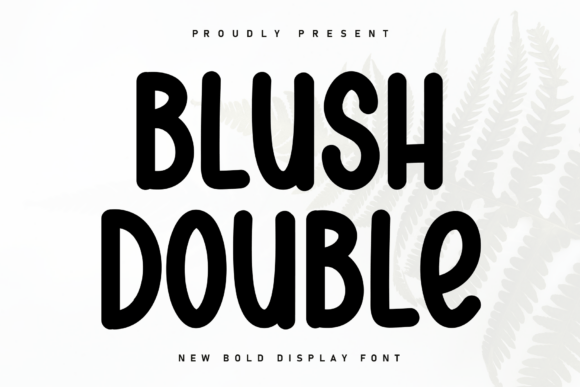
Blush Double is a delightful and elegant handwritten font that brings a touch of warmth and personality to any design. With its playful yet refined characters, this font can transform your projects, making them feel more personal and inviting. Whether you're a beginner or a seasoned designer, Blush Double offers a unique way to add a cozy and charming accent to your work.
Why Choose Blush Double?
Blush Double stands out with its distinctive, hand-drawn style. The fluid, dancing characters along the baseline create a sense of movement and liveliness, perfect for adding a human touch to digital designs. This font is ideal for a wide range of applications, from wedding invitations and greeting cards to social media graphics and blog headers.
Mistake 1: Overusing the Font in Large Blocks of Text
While Blush Double is visually appealing, using it for long paragraphs can make your text hard to read. Handwritten fonts are best used for short, impactful statements or headings. Stick to using Blush Double for titles, subtitles, or short quotes, and pair it with a clean, readable font for body text.
Mistake 2: Ignoring Context and Audience
Not every project is suitable for a handwritten font like Blush Double. Consider the tone and formality of your project. For instance, a professional business report might not be the best place for Blush Double. Always think about the context and the audience before choosing a font. Use Blush Double for creative, casual, or personal projects where a friendly, approachable vibe is welcome.
Mistake 3: Neglecting Font Pairing
Blush Double works beautifully when paired with complementary fonts. However, pairing it with another decorative or script font can result in a cluttered and unprofessional look. Choose a simple, sans-serif or serif font to balance the visual weight and maintain readability. For example, combining Blush Double with a clean font like Arial or Georgia can create a harmonious and visually pleasing design.
Mistake 4: Not Testing Across Devices and Platforms
Fonts can render differently on various devices and platforms. Before finalizing your design, test how Blush Double looks on different screens and operating systems. This step ensures that your design maintains its intended charm and readability, regardless of where it's viewed.
Check Licensing and Usage Rights
Before downloading and using Blush Double, make sure to check the licensing terms. Some free fonts come with restrictions, while premium fonts often have more flexible usage rights. Review the license agreement to ensure you are using the font legally and appropriately.
Experiment with Font Sizes and Colors
Play around with different sizes and colors to find the best fit for your design. Blush Double can be quite versatile, but it’s important to test and adjust to see what works best. Start with a larger size for headings and experiment with colors that complement your overall design scheme.
Consider the Overall Design Hierarchy
When incorporating Blush Double into your design, consider the hierarchy of elements. Use Blush Double for the most important or eye-catching parts of your design, such as headlines or callouts. Prioritize clarity and readability by ensuring that the most critical information stands out.
Seek Feedback and Iterate
Don’t be afraid to ask for feedback from others. Sometimes, a fresh set of eyes can provide valuable insights and help you refine your design. Share your work with colleagues or friends and use their feedback to make adjustments and improvements.
By avoiding these common mistakes and following these practical tips, you can make the most of Blush Double and create designs that are both beautiful and effective. Happy designing!